
Build & Support
Custom Web Apps & Dashboards
Custom apps, portals and dashboards that replace spreadsheets, built small and grown in steps.
- Lead trackers and booking tools
- Client portals and dashboards
- You own the code
Case study
MAZ Business Center in Bahrain has used one custom application since 2021 to manage office bookings, contract renewals and pending payments across its four branches.
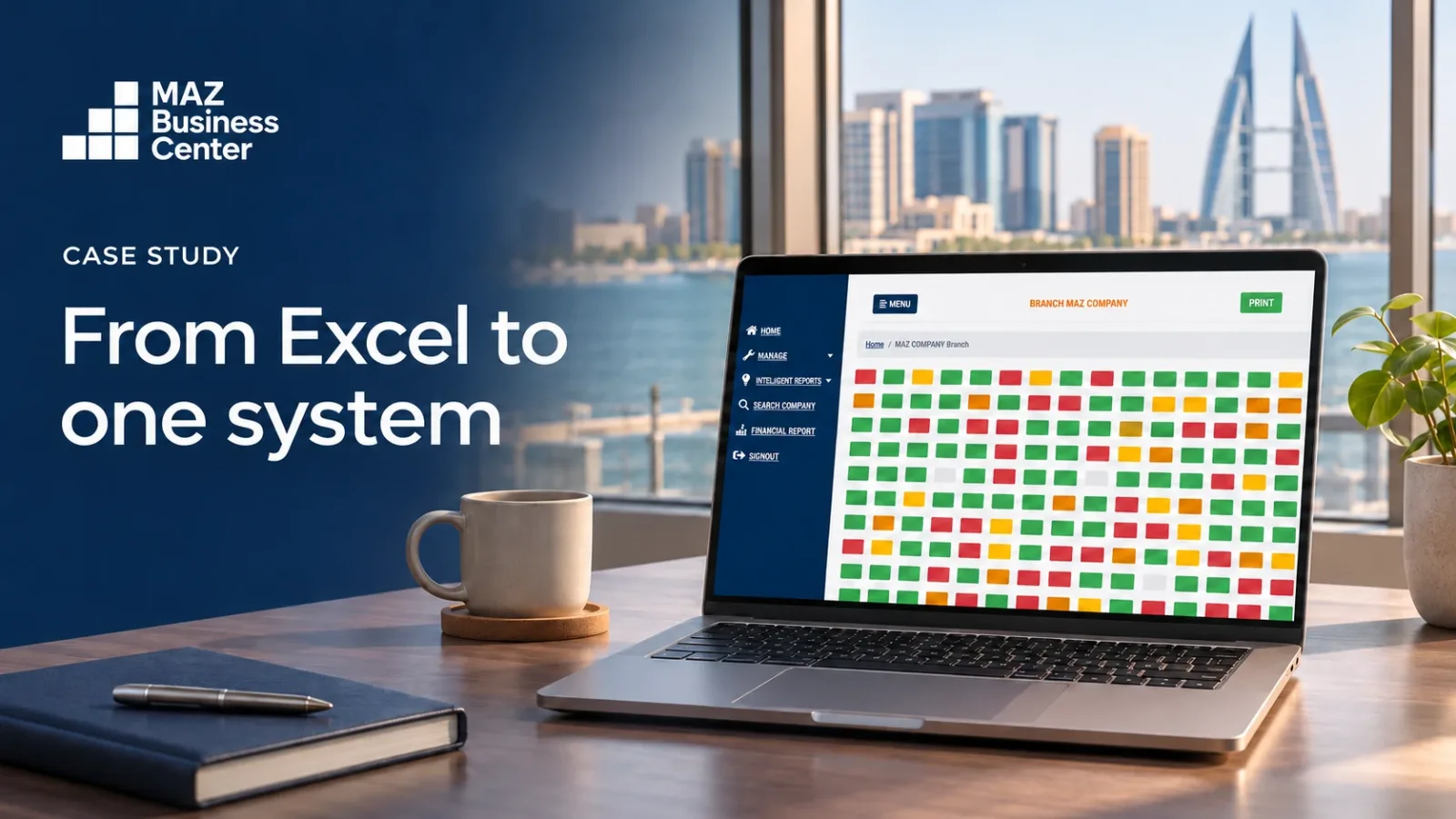
MAZ Business Center in Bahrain used Excel to manage office bookings, track pending payments and prepare reports for each branch. In 2021, Brain Cyber Solutions built a custom web application, in PHP and MySQL, that brought these parts of the business together. MAZ has used it ever since, and its team now spends far less time finding records and preparing reports.
| Project at a glance | Details |
|---|---|
| Client | MAZ Business Center, Amwaj Islands, Bahrain |
| Industry | Smart workspaces, virtual offices and business incubation |
| Service | Custom web application development |
| Technology | PHP and MySQL |
| What it covers | Office bookings, contract expiry and renewals, client companies, pending payments, branch and financial reports |
| In use since | 2021 |
| Branches covered | All 4 MAZ branches, each with its own dashboard |
MAZ provides offices with a commercial address on Amwaj Islands, Bahrain. It also offers virtual offices and supports startups through its business incubator (mazbusiness.com).
For the team running offices across four branches, one routine question pulls several parts of the operation together: Which bookings at this branch still have a payment pending?
To answer it, staff had to identify the branch, find the relevant bookings, check the payment records and work out which company to follow up with. MAZ already kept all of this in Excel. The real work was bringing those records together every time someone needed a branch-level answer.
The same pattern repeated across the day:
Before designing any screen, we mapped how MAZ's records relate to each other. Every booking links a company to an office in a branch, and every booking carries its own payment status. Keeping those relationships intact shaped everything we built.
We also saw that staff come to the same records from different starting points, depending on the task in front of them:
| Who | What they start with | What they need to see |
|---|---|---|
| Front desk handling a call | The company name the caller gives | That company's booking, office and payment status |
| Manager reviewing a branch | The branch itself | Every office in it, and which contracts have expired or are due for renewal |
| Accounts checking dues | The period and branch | Pending payments and collection totals |
So we built all three routes into one application, sitting on one shared set of records. Staff no longer change their process to fit a spreadsheet. The system follows the way MAZ already thinks about its business.
MAZ's data is relational by nature: companies, offices, branches, bookings and payments, each linked to the others. A MySQL database keeps those links consistent, so a payment always belongs to one booking and a booking to one office and one company. PHP serves the application in a web browser, so staff at every branch use the same system with nothing to install, and reports are built from live records instead of copied figures.
The heart of the application is the branch dashboard. Each of MAZ's four branches has its own, and every office in it appears as a numbered tile, coloured by its contract status:
| Colour | Contract status |
|---|---|
| Red | Expired |
| Orange | Expires within 30 days |
| Yellow | Expires within 60 days |
| Green | More than 60 days remaining |
| Grey | Vacant |
A live summary bar above the grid counts the offices in each group. A manager can see at a glance which contracts need renewal this month, which are coming up next, which have already lapsed and which offices are free to let, then open any office's record with one click.
The rest of the application is reached from the same screen:
| Module | What it does for MAZ |
|---|---|
| Manage | Adds and updates offices, client companies, bookings and payments |
| Search Company | Starts from the name a caller gives and opens that company's full record |
| Intelligent Reports | Advanced reports that answer recurring management questions across all four branches |
| Financial Report | Shows pending payments and collections for a branch and period |
| Produces paper copies of the dashboard and reports for meetings and files |
| Everyday task | When MAZ used Excel | With the custom application |
|---|---|---|
| Review office bookings | Look up booking entries across spreadsheets | Open the branch dashboard and see every office's status |
| Find a client company | Search the spreadsheet records for a company name | Look it up with Search Company |
| Check pending payments | Match payment entries against booking details by hand | Track pending payments in the same system as bookings |
| Prepare a branch report | Pull the relevant figures together from several sheets | Open branch and financial reports inside the system |
| Track contract renewals | Check expiry dates sheet by sheet | See expired and soon-to-expire contracts by colour on the dashboard |
MAZ staff now spend much less time assembling information before they can act on it. A manager can review a branch's bookings and pending payments without first preparing an Excel summary. A colleague handling a company enquiry can start with the name the caller gives.
The application has been part of MAZ's operations since 2021. Its lasting value comes from a decision made at the start: keep the relationships between offices, companies, bookings and payments intact, and let staff reach them the way each task requires.
Show us one report that takes too long to prepare. We will trace how the information reaches it and identify where a custom application could save your team time. See our custom web apps and dashboards service, or message us on WhatsApp with the report you would like to fix.
The picture at the top illustrates the MAZ branch dashboard. Office numbers and company details are not shown.
Tell us about your business on WhatsApp. We reply with clear next steps.